

Nathan Birch

 iOS Engineer

> Swift | SwiftUI | Async/Await | Combine | Unit Testing | REST APIs | Systems Design | UI/UX Focus
> n8.birch@gmail.com
> Tampa, FL
>

Hi, I’m Nathan.

Heart Rate Monitor

This app allows users to track their cardiac health by placing their finger on one of the back cameras on their device for ~60 seconds. By using advanced image processing we calculate metrics like BPM and HRV, and from there, calculate even more personalized metrics such as an overall heart health score and more.

As users track more data, they eventually can see their data displayed over time on our chart systems, revealing trends and insights that are key to understanding their heart health.

A large part of this app is helping users understand what their data is telling them. Not everyone is a cardiologist, so presenting information to users in a digestible format is critical.

We also import data from Apple’s HealthKit. This helps us gather even more useful data to help provide insights to our users than what just the device’s camera can provide.

Holy Bible

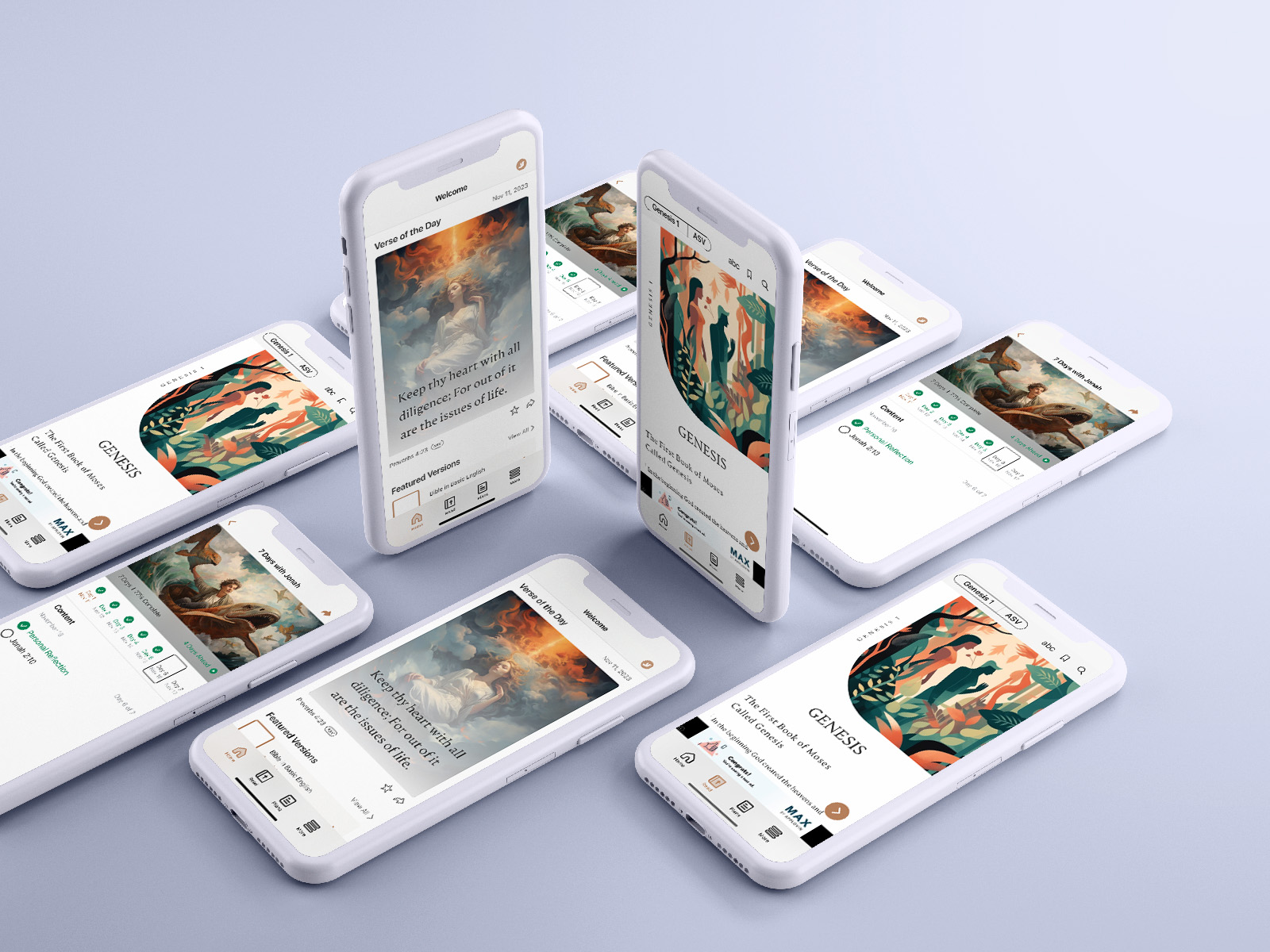
This app was my first to be published on the iOS App Store, and something I’m very proud of. I was the sole engineer on this project (but of course I had help from other engineers, designers, QA specialists, product analyzers, content writers, data scientists, and more) and build it from scratch. It was my first project where I got to develop the app’s architecture, handle the ownership process of connecting it to App Store Connect as well as publishing it onto the App Store. I also learned to monitor data like crash rates and other performance metrics.

The app consists of a variety of features; reading the Bible, listening to audio bible versions, comparing multiple verses at once, customizing things like font size and background color, sharing content with others, favoriting verses, bookmarking chapters, searching for verses from anywhere in the Bible, accessing a wide array of curated reading plans that guide you through sets of verses connected by common themes for best studying practices, and more.

This app was designed with a Data Transfer Object architecture combined with the Model-View-ViewModel style. It was build with 100% SwiftUI views, and fetches data from multiple API endpoints as well as an open-source database for all of its text and audio content. It also uses Core Data for saving the current reading place and version, favorite verses, saved bookmarks, audio progress, plan progress, reading theme settings, and more.

Tic-Tac-Takeover was built off a tutorial from Sean Allen teaching how to make a simple Tic-Tac-Toe game

Tic-Tac-Takeover

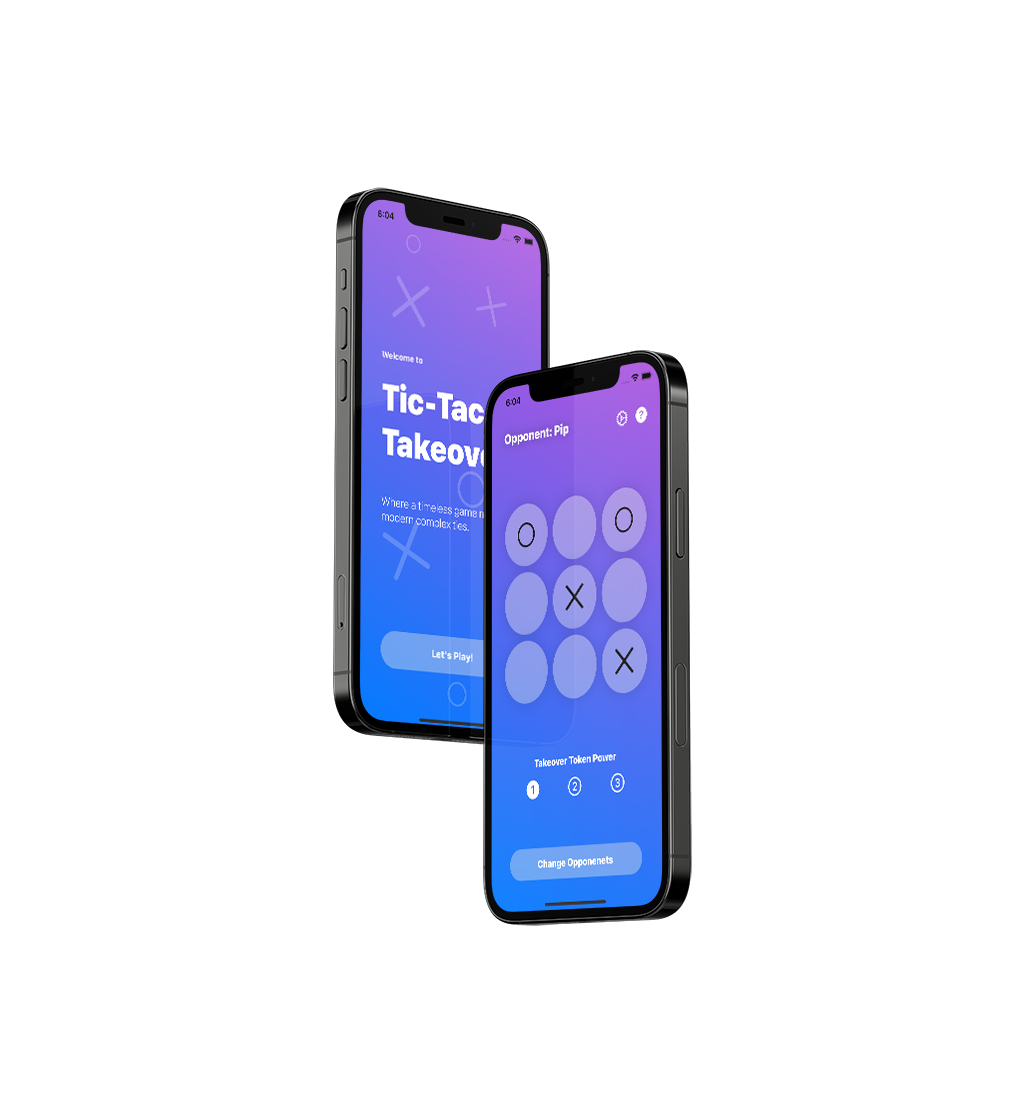
Built using SwiftUI and structured with MVC, this app is a step above your regular game of Tic-Tac-Toe. This game has the basis of the original game but with a twist; users have moves with different sizes (small, medium, and large) and are able to “take over” their opponent’s location if they use a move with a larger size than their opponent’s.

The game lets you choose what size of move to use using the first set of buttons below the play area labeled 1, 2, and 3.

The game also lets you customize the difficulty settings depending on your skill level. There are 3 levels of difficulty, Novice, Intermediate, and Expert, each one advancing in skill from the last using custom AI functions.

FreeGo: Hazard Free Travel

This project was done for a startup company created by a peer of mine in college, I lead the UI/UX development for the app and created the branding as well.

By brainstorming ideas in Adobe Illustrator and transitioning to building the UI in Figma, I was able to achieve a clean and easy-to-use interface that will allow users to focus on what’s really important to them while using the app; their safety.

The startup company this app is created by, Caut!onTech, is one I have been a part of since January of 2021. We plan to have a beta version of the app created and ready for user testing by the end of the 2021 summer season.

About Me

I graduated from Winona State University in May of 2021 with two undergraduate degrees, a BS in Applied Computer Science concentrating in Human-Computer Interaction, and a BA in I-Design concentrating on Technology & Interactivity. Since then, I’ve been working for Spigot in Fort Myers, Florida as an iOS Engineer.

Applied Computer Science was all about exploring technology itself, the languages used to create them, and most importantly, how people actually used them. I quickly became interested in the world of iOS development after taking an Intro to Mobile Apps course at my university and really fell in love with Swift.

I-Design is a little more complicated to explain. It’s a major falling under the Arts & Design department, but isn’t labeled as just one thing; it doesn’t fall under any category really. Each student chooses one of five concentrations or creates their own depending on what type of design they want to explore, then creates their course calendar stemming from that. It allows students to study core design knowledge while honing in on a specific design skill set they are interested in.

Knowing both sides of iOS app development, UI/UX and programming, is what sets me apart from others. Being able to approach problems with knowledge from both sides of the spectrum not only aids me in creating solutions but also allows me to work with both teams fluently and efficiently.

Thanks for your time.